Saturday, 29 November 2008

The Moose is back.


The Moose is back.
Since 1986 on Macintosh users have been able to irritate themselves with a talking interrupting moose. Now available for Mac OS X...

Uli's Moose with additional Terry Pratchett phrases available. Free but give a donation if you really over use it and drive yourself mad.

Sunday, 26 October 2008

Poladroid test


Poladroid test: VW Camper
Originally uploaded by Mooganic.

A test of the new Mac application which processes your images and emulates a Polaroid print, very cute interface. www.poladroid.net/

The currently free beta places a small blue Polaroid camera on your desktop, you drag and drop pictures ont the camera which whirs and pops out Poladroid prints which slowly develop on your desktop. All works rather well.


350ppm

Saturday, 18 October 2008

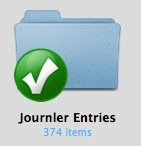
Syncing Journler across two Macs with Dropbox


Although Journler is a great information management and diary application, one feature that has been lacking is the ability to easily sync across multiple Macs. After syncing using the dependable Chronosync application and a target disc mode connection (Firewire, try doing that on the new Macbooks) I have found a better syncing method using the cloud. 

Dropbox is a new service which syncs a specific Dropbox folder on your Mac (Dropbox also works on Windows and Linux). It works very quickly as there is some sub file level smart updating and compression going on in the background. The links are all made using secure SSL and the storage is on Amazon S3. Your files are stored using 256 AES on the Amazon servers. There is also full versioning for changes to files o make it simple to revert to a previous version of a file.

The key thing is that unlike MobileMe (.Mac) there is a free 2GB account available until recently it was invitation only but now you can just sign up and be running Dropbox in minutes. 

So far I've found it very fast and reliable and also use it for Rapidweaver files I like to keep in sync across computers.  1Password from Agileweb Solutions new Agile keychain feature in 1Password v 2.9 also can make use of Dropbox rather than the more cumbersome keychain sync of MobileMe. Check out the key features at the Dropbox site.

How to set up syncing of Journler entries using Dropbox:
1. Sign up to Dropbox and ensure you are using the latest build available through the Forums at Dropbox e.g. v 0.6.404 solves problems with Mac OS X package folders which helps Journler RTFD files sync properly. 

2. Install Dropbox, on all Macs to be synced.

3. Back up your Journler folder (in 2.5.5 of Journler this is most likely in your Documents folder). 

4. If you have password protected your Journal, temporarily switch off this feature in Preferences, Advanced, before copying the Journal. Then quit Journler.

5. Copy the Journler folder into your new Dropbox folder. The original Journler folder can be renamed later and left as a back up copy.

6. Dropbox should begin its syncing process and eventually, the Journler folder will be synced and available on the other Mac/s.

7. You can now test the sync by opening Journler, using the Locate button and pointing it to the Dropbox stored Journler folder. After creating a test entry,you may reinstate your password option in the preferences menu at this point.

Note: only have one copy of Journler open on a single Mac at any time, otherwise the syncing is likely to be seriously confused. Remember, Journler is intended for single user working only and is not a true networking application.

With the initial sync out of the way subsequent syncing should be extremely fast.

The next step is to see whether this works with Omnifocus!

Find out more abut Journler: Journler - Wherever Life Takes You

Saturday, 20 September 2008

Origin of the emoticon in 1982

September 19th 1982 and Scott Fahlman invents the :-) emoticon.


1982: At precisely 11:44 a.m., Scott Fahlman posts the following electronic message to a computer-science department bulletin board at Carnegie Mellon University:

19-Sep-82 11:44 Scott E Fahlman  :-)
From: Scott E Fahlman

I propose that the following character sequence for joke markers:

:-)

Read it sideways. Actually, it is probably more economical to mark things that are NOT jokes, given current trends. For this, use:

:-(

Friday, 12 September 2008

Everything that hapens will happen today.

David Byrne & Brian Eno, back together again for the first time since My Life in the bush of ghosts. Being published first as a download (no DRM and flac versions - good for them).

Sunday, 7 September 2008

Friday, 5 September 2008

Remind yourself of the fragility of existence with a isight and a Mac.


DT4 Identity-SA is an "artware" of Project 72, a type of screen-based installation with visual feedback and sound synthesis. It displays a new type of animation of aesthetic graphics and deformed reflection of user's image.
Created by
Tatsuo Unemi 
Department of Information Systems Science, Soka University.
Daniel Bisig 
Artificial Intelligence Laboratory,University of Zurich.
Download here
http://www.macupdate.com/info.php/id/25590/dt4-identity-sa

Saturday, 30 August 2008

Essential application for all Mac users


An absolutely essential application; file under cat noises.

Your Mac Meows when a USB peripheral is attached or unattached.


Pointed


Pointed
Originally uploaded by Mooganic.

nr John Lewis, The Hayes the march of pointy building proceeds into the recession. I remember when St David's 2 was announced my comment was "just in time for the recession". Rather like those early eighties shopping malls which sprang up everywhere in the UK at a time of 15% inflation; well done.